Monday, 15. April 2024Week 16
In the Print HTTP Headers and Pretty-Print JSON Response post, Susam Pal shows a nice trick to pretty-print JSON output with jq from curl while also showing the HTTP response headers (using stderr):
curl -sSD /dev/stderr https://some-URL-returning-JSON | jq .
Saturday, 30. March 2024Week 13
Yay! Successfully updated my Puppet Server setup from 5.3.7 to 8.4.0 🎉
It was quite a step (5.3.7 was released in January 2019) and as expected 3 major version bumps came with a couple changes.
I opted to re-create the PuppetDB and CA stores from scratch (to avoid having to migrate 5 years of data schema changes, and the CA cert is now also valid for a couple more years again).
To make the old manifests and modules work with the new versions, quite some effort was needed. This included rewriting some no longer maintained modules to use newer stdlib and concat libraries, updating a couple modules from the puppet forge (with the bonus that my puppet server runs airgapped and I had to use the download-tar-copy-extract way to install them) and fixing no longer valid syntax here and there in my custom manifests. Overall I spent about 5 hours on it (and have now a recurring reminder to update puppet more often to make this process less painful).
Helpful as usual were the resources from Vox Pupuli, in particular the Puppet Server and PuppetDB Docker images and the CRAFTY repo which contains a fully self-contained Docker Compose setup very similar to what I'm running.
Some commands that came in handy:
puppet config print ssldir --section agent
Returns the path of the TLS config folder on the client. Useful during a CA change (where you rm -rf the whole folder and then request a new TLS certificate).
puppet agent -t --noop
Dry-run the changes on the client (it does request a new TLS cert though!). Shows a nice diff of the changes it would do to files, helpful to validate that a manifest still behaves the same in the new version.
Monday, 25. March 2024Week 13
Brendan Gregg posted the following list of 'crisis tools' which you should install on your Linux servers by default (so they are available when an incident happens).
| Package | Provides | Notes |
|---|
| procps | ps(1), vmstat(8), uptime(1), top(1) | basic stats |
| util-linux | dmesg(1), lsblk(1), lscpu(1) | system log, device info |
| sysstat | iostat(1), mpstat(1), pidstat(1), sar(1) | device stats |
| iproute2 | ip(8), ss(8), nstat(8), tc(8) | preferred net tools |
| numactl | numastat(8) | NUMA stats |
| tcpdump | tcpdump(8) | Network sniffer |
linux-tools-common
linux-tools-$(uname -r) | perf(1), turbostat(8) | profiler and PMU stats |
| bpfcc-tools (bcc) | opensnoop(8), execsnoop(8), runqlat(8), softirqs(8),
hardirqs(8), ext4slower(8), ext4dist(8), biotop(8),
biosnoop(8), biolatency(8), tcptop(8), tcplife(8),
trace(8), argdist(8), funccount(8), profile(8), etc. | canned eBPF tools[1] |
| bpftrace | bpftrace, basic versions of opensnoop(8),
execsnoop(8), runqlat(8), biosnoop(8), etc. | eBPF scripting[1] |
| trace-cmd | trace-cmd(1) | Ftrace CLI |
| nicstat | nicstat(1) | net device stats |
| ethtool | ethtool(8) | net device info |
| tiptop | tiptop(1) | PMU/PMC top |
| cpuid | cpuid(1) | CPU details |
| msr-tools | rdmsr(8), wrmsr(8) | CPU digging |
Sunday, 18. February 2024Week 7
ldapauth is a Node.js script which I have been using for the last 12+ years mostly unchanged.
It started its life in a LXC container, eventually was moved to a Docker container and recently ended up in its own repository on GitHub.
The functionality it provides is not extraordinary, but helped to bridge a gap where no other product was available.
It talks LDAP one one side (although limited to handle user lookup requests) and on the other side connects to a MongoDB database where the information is stored.
It emerged out of the desire to have an easy way to manage individual user accounts for my home WiFi. I already had MongoDB running for some other personal project and simply added the list of users there (including the UI for managing them).
Thus the missing part was to get the WiFi accesspoint to lookup user accounts in MongoDB.
Of course WiFi accesspoints do not directly talk MongoDB, but rather some other protocol like RADIUS.
A freeradius server was quickly setup, but still couldn't talk to MongoDB at the time. Thus comes in ldapauth, which takes LDAP queries from freeradius and turns them into MongoDB lookups so that in the end the WiFi accesspoint receives the user accounts :-)
Not sure if this is particularly useful for anyone else, but at least here it did provide good services (and continues to do so).
Current score is that it has survived three different WiFi accesspoints and has been running on 5 different servers over the time.
Sunday, 7. January 2024Week 1
While adding some new alias functionality to my setup, it repeatedly failed with an error similar to this, despite my configuration changes:
Recipient address rejected: unverified address: host XXX[XXX] said: 550 5.1.1
<foo@bar.com> User doesn't exist: foo@bar.com (in reply to RCPT TO command);
Turns out that the negative verification result is cached and the cache is not reset during a reload/restart of postfix.
Thus it must be cleared manually like this:
/etc/init.d/postfix stop
rm /var/lib/postfix/verify_cache.db
/etc/init.d/postfix start
Wednesday, 27. December 2023Week 52
Recently named on my Debian server started to emit the following messages:
Dec 23 18:30:05 server named[1168203]: checkhints: view external_network: b.root-servers.net/A (170.247.170.2) missing from hints
Dec 23 18:30:05 server named[1168203]: checkhints: view external_network: b.root-servers.net/A (199.9.14.201) extra record in hints
Dec 23 18:30:05 server named[1168203]: checkhints: view external_network: b.root-servers.net/AAAA (2801:1b8:10::b) missing from hints
Dec 23 18:30:05 server named[1168203]: checkhints: view external_network: b.root-servers.net/AAAA (2001:500:200::b) extra record in hints
The reason for these warnings, is a IP change of the B root-server.
Debian is not ready yet with updating their dns-root-data package.
To fix the mismatching IP definitions on a Debian system, the current root zone definitions can also be updated manually from Internic:
curl https://www.internic.net/domain/named.root -s > /usr/share/dns/root.hints
curl https://www.internic.net/domain/named.root.sig -s > /usr/share/dns/root.hints.sig
Sunday, 23. April 2023Week 16
To automate some of the deployment steps on my personal server, I needed a tool which can be triggered by a webhook and does execute some pre-defined commands.
A classic solution for this would be to have a simple PHP script with a call to system(...). But I don't have PHP installed on the server itself and wanted this to be more lightweight than a full Apache+PHP installation.
Thus exec-hookd was born. It is a small Go daemon which listens to HTTP POST requests and runs pre-defined commands when a matching path is requested.
Its configuration lives in a small JSON file, which lists the port to listen on and the paths together with their commands to execute:
{
  "Port": 8059,
  "HookList": [
    {
      "Path": "/myhook",
      "Exec": [
        {
          "Cmd": "/usr/bin/somecmd",
          "Args": [
            "--some",
            "arguments"
          ],
          "Timeout": "5s"
        }
      ]
    }
  ]
}
The commands are called with a timeout after which they are stopped to avoid that things hang around forever.
Saturday, 18. March 2023Week 11
Found this inspiring blog post about how to use your own domain for Docker images. (via HN)
It explains how to use your own domain with redirects such that the Docker registry hosting the images can be changed easily. Your domain is only used for issueing HTTP redirects, so that the actual data storage and transfer happens directly with the Docker registry.
The blog post comes with a sample implementation for Caddy. As my server is running nginx, I used the following config snippet to achieve the same result:
server {
	listen 443 ssl;
	listen [::]:443 ssl;

	server_name	docker.x-way.org;

	access_log	/var/log/nginx/docker.x-way.org.access.log;
	error_log	/var/log/nginx/docker.x-way.org.error.log;

	ssl_certificate		/etc/letsencrypt/live/docker.x-way.org/fullchain.pem;
	ssl_certificate_key	/etc/letsencrypt/live/docker.x-way.org/privkey.pem;

	location / {
		return 403;
	}

	location = /v2 {
		add_header Cache-Control 'max-age=300, must-revalidate';
		return 307 https://registry.hub.docker.com$request_uri;
	}
	location = /v2/ {
		add_header Cache-Control 'max-age=300, must-revalidate';
		return 307 https://registry.hub.docker.com$request_uri;
	}
	location = /v2/xway {
		add_header Cache-Control 'max-age=300, must-revalidate';
		return 307 https://registry.hub.docker.com$request_uri;
	}
	location /v2/xway/ {
		add_header Cache-Control 'max-age=300, must-revalidate';
		return 307 https://registry.hub.docker.com$request_uri;
	}
}
Quickly tested it with some docker pull commands and already integrated it into the build process of dnsupd.
Tuesday, 3. January 2023Week 1
For a temporary log analysis task, I wanted to get the last 24h of logs from a Postfix logfile.
To achieve this I came up with the following AWK oneliner (which fails in spectacular ways around new years):
awk -F '[ :]+' 'BEGIN{m=split("Jan|Feb|Mar|Apr|May|Jun|Jul|Aug|Sep|Oct|Nov|Dec",d,"|"); for(o=1;o<=m;o++){months[d[o]]=sprintf("%02d",o)}} mktime(strftime("%Y")" "months[$1]" "sprintf("%02d",$2+1)" "$3" "$4" "$5) > systime()'
This is then used in a cronjob to get a pflogsumm summary of the last 24h:
cat /var/log/mail.log | awk -F '[ :]+' 'BEGIN{m=split("Jan|Feb|Mar|Apr|May|Jun|Jul|Aug|Sep|Oct|Nov|Dec",d,"|"); for(o=1;o<=m;o++){months[d[o]]=sprintf("%02d",o)}} mktime(strftime("%Y")" "months[$1]" "sprintf("%02d",$2+1)" "$3" "$4" "$5) > systime()' | pflogsumm
Sunday, 7. August 2022Week 31

(via)
Wednesday, 6. July 2022Week 27
To add a new node to an existing MongoDB cluster, login to the mongo shell on the primary node and run the following command:
rs.add({host:"mongodb3.example.net:27017"})
Similar to remove a node from the cluster, use:
rs.remove("mongodb3.example.net:27017")
Saturday, 13. February 2021Week 6
The default configuration of snmpd on Debian has debug level logging enabled and thus we end up with a constant flood of these messages in /var/log/syslog
snmpd[19784]: error on subcontainer 'ia_addr' insert (-1)
The fix is to lower the logging level, which can be accomplished like this on systems with systemd:
cp /lib/systemd/system/snmpd.service /etc/systemd/system/snmpd.service
sed -i 's/Lsd/LS6d/' /etc/systemd/system/snmpd.service
systemctl daemon-reload
systemctl restart snmpd
On systems without systemd, the logging level is set by the init script (unless explicitly configured in /etc/default/snmpd), and can be changed like this:
sed -i 's/Lsd/LS6d/g' /etc/default/snmpd
sed -i 's/Lsd/LS6d/g' /etc/init.d/snmpd
service snmpd restart
Sunday, 7. June 2020Week 22
Recently the disk holding the root (/) filesystem on one of my linux systems started to report increased SMART raw read error rates, seek error rates and ECC recovered hardware errors.
As these are early indications of a failing disk, it became time to replace the disk.
Normally replacing a disk comes down to plugging in the new one, coyping over the data, umount the old disk, mount the new one in place, unplug the old disk.
But when it is the disk with the root filesystem a couple extra steps are needed.
The steps below worked for my Debian system without problems (even used the opportunity to upgrade to an SSD :-)
(source is this thread on StackExchange)
The following makes some assumptions:
- All commands ran as root when possible
- You are on a physical console to the host (need to type in grub commands to boot up the new disk!)
- You want an ext4 files system
- You are loosely familiar on a basic level with all commands run
- You are NOT booting from a RAID device
So here we go.
- Physically install new disk into computer and connect to available port leaving old disk in existing position.
- Boot computer into old OS.
- Prepare and mount new disk; first identify new disk
fdisk -l
- Partition new disk
fdisk /dev/(newdisk)
Make partition primary partition with type "83" file system type.
- Create filesystem
mkfs.ext4 /dev/(newpartition)
- Mount new filesystem
mkdir /mnt/(newpartitionmountpoint)
mount /dev/(newpartition) /mnt/(newpartitionmountpoint)
- Copy disk:
/sbin/init 1 (drop to single user mode)
rsync -avxHAX / /mnt/(newpartitionmountpoint)
- Update FSTAB on newdisk
blkid (note UUID of new partition)
vi /mnt/(newpartitionmountpoint)/etc/fstab
Replace existing UUID of / in FSTAB to new disk UUID
- Configure grub and install to new disk boot loader:
grub-mkconfig
update-grub
grub-install /dev/(newdisk)
- Copy grub.cfg from old disk to new
cp -ax /boot/grub/grub.cfg /mnt/(newpartitionmountpoint)/boot/grub/grub.cfg
- Open grub.cfg on new disk and replace all UUIDs with new disk
vi /mnt/(newpartitionmountpoint)/boot/grub/grub.cfg
Replace all old UUIDs with the UUID of the new disk
- Shut down computer
shutdown
- Physically move the new drive to the 1st drive location and remove old drive
- Start computer and grub should present:
error: no such device: xxxxxxxx-xxxx-xxxx-xxxx-xxxxxxxxxxxx

GRUB rescue>
- Manually boot new OS from grub; first identify the drive and partition of the boot files
ls [to identify your drive and partition options]
ls (hdx,p)/ [to identify which partition has the /boot folder]
- Then, you can load the boot menu manually from the drive and partition you found above. Typically this would be (hd0,msdos1).
set prefix="(hdx,p)/boot/grub"
set root="(hdx,p)"
insmod normal
normal
- Login to OS on new drive
- Configure grub again
fdisk -l (note dev of newdisk)
grub-mkconfig
update-grub
grub-install /dev/newdisk
And that should be it!
Sunday, 24. May 2020Week 20
On my Linux hosts I'm running rkhunter. On a newly configured host it lately reported the following warning:
Warning: The SSH and rkhunter configuration options should be the same:
        SSH configuration option 'PermitRootLogin': no
	Rkhunter configuration option 'ALLOW_SSH_ROOT_USER': no
On first sight the warning does not seem to make much sense, as both configuration options seem to be set to the same value (no).
But digging further reveals that they are stored slightly different:
# file /etc/rkhunter.conf
/etc/rkhunter.conf: ASCII text
# file /etc/ssh/sshd_config
/etc/ssh/sshd_config: ASCII text, with CRLF line terminators
Turns out that rkhunter is also checking the line terminators as part of the configuration values, and warns because they are different.
Knowing this, the fix is simple: run dos2unix on the CRLF file
Saturday, 18. April 2020Week 15
Sometimes you need to be notified about reboots of a machine without having the luxury of a proper monitoring system.
The following crontab entry triggers an e-mail when the host has been rebooted in the last 5 minutes.
*/5 * * * * [ $(sed -e 's/\..*//' /proc/uptime) -lt 540 ] && echo "Host has been rebooted! Uptime: $(uptime)"
Wednesday, 4. April 2018Week 14
Postfix provides the reject_unknown_sender_domain check which allows to only accept incoming e-mails sent from domains which actually exist.
Unfortunately there exists this one external service which uses a non-existing subdomain to send their notification e-mails. Thus all their notifications get rejected.
The following configuration allows to keep the reject_unknown_sender_domain check in place, but to exclude a specific domain from this check.
# snippet in main.cf
smtpd_sender_restrictions = check_sender_access pcre:/etc/postfix/sender_domain_verification
# exclude regex in sender_domain_verification
!/@domain\.to\.exclude\.com$/ reject_unknown_sender_domain
Your distribution might ship Postfix support for pcre matches in a dedicated package which needs to be installed separately (in the case of Debian you need to install the postfix-pcre package).
Tuesday, 3. November 2015Week 44
I've just added the indexcolor patch to my Mutt 1.5.24 Homebrew Formula.
To use this Formula just type brew tap x-way/mutt followed by brew install x-way/mutt/mutt --with-trash-patch --with-indexcolor-patch to install Mutt 1.5.24 with trash_folder and indexcolor support.
Wednesday, 23. September 2015Week 38
At work I'm a quite avid user of Mutt. Unfortunately the upgrade to the recently released version 1.5.24 did not go over as smooth as expected.
I'm using Homebrew to install Mutt on Mac OS X, and even though there is an updated version in the official Homebrew repository, it no longer comes with the trash_folder patch (it fails to apply against the 1.5.24 source tree and was thus removed).
In order to build the new Mutt version with the trash_folder support, I updated the patch for version 1.5.24: mutt-1.5.24-trash_folder.diff.
The official Homebrew repository prefers unpatched packages and encourages the creation of independent "Taps" (package repositories) for patched packages. Thus I also created my own Homebrew Tap which contains the 1.5.24 version of Mutt with the updated trash_folder patch: x-way/homebrew-mutt.
To use this Tap just type brew tap x-way/mutt followed by brew install x-way/mutt/mutt --with-trash-patch to install Mutt 1.5.24 with trash_folder support. Cheers!
Saturday, 15. August 2015Week 32
Puppet Infrastructure 2015
Wednesday, 12. August 2015Week 32
The Quagga version in Debian 8 (v0.99.23.1) suffers from a bug in ospf6d, which causes that no IPv6 routes are exchanged via point-to-point interfaces.
In order to workaround this problem (and re-establish IPv6 connectivity), a downgrade of the quagga package can be done.
For this we add the 'oldstable' entry to sources.list and pin the quagga package to the old version.
Entry to add to /etc/apt/sources.list:
deb http://mirror.switch.ch/ftp/mirror/debian/ oldstable main
Entry to add to /etc/apt/preferences:
Package: quagga
Pin: version 0.99.22.*
Pin-Priority: 1001
After the entries have been added, run apt-get update followed by apt-get install quagga to downgrade to the old quagga package.
Saturday, 11. July 2015Week 27
To avoid the automatic installation/switch to systemd during the upgrade to Debian 8, it is enough to prevent the installation of the systemd-sysv package.
This can be done by creating a file /etc/apt/preferences.d/no-systemd-sysv with the following content:
Package: systemd-sysv
Pin: release o=Debian
Pin-Priority: -1
(via)
Monday, 24. November 2014Week 47
The UNIX System: Making Computers More Productive, 1982, Bell Laboratories
Friday, 17. October 2014Week 41
Before sending a CSR off to your CA, it is worth checking that all parameters are correct.
Especially you should make sure that the requested signature algorithm is SHA256 and not the deprecated SHA1.
This can be done with the following OpenSSL command:
openssl req -noout -text -in <your_CSR_file>
Thursday, 13. February 2014Week 6
- Properly shutdown the guest:
guest# poweroff
- Create an LVM volume of the same size on the new machine:
newmachine# lvcreate -L 120G -n myguest myvolgroup
- Copy the disk from the old machine over to the new one:
oldmachine# dd if=/dev/vg_foo/lv_bar | ssh newmachine dd of=/dev/volgroup/myguest
- Wait for the transfer to complete (on a 100Mbit/s connection it took about 3.5 hours to transfer the 120GB).
- Copy /etc/libvirt/qemu/myguest.xml from the old machine over to the new machine and adapt the LVM path for the disk.
- Reload the libvirt configuration:
newmachine# /etc/init.d/libvirt-bin reload
- Start up the guest on the new machine:
newmachine# virsh start myguest
- Boot from a helper system and get a root shell (I used the rescue mode of the Debian installer)
- Check the filesystem of the partition to resize:
e2fsck -f /dev/vg_foo/lv_bar
- Resize the filesystem (make it a bit smaller than the target size, to have a safety margin when resizing the logical volume):
resize2fs /dev/vg_foo/lv_bar 180G
- Reduce size of the logical volume:
lvreduce -L 190G /dev/vg_foo/lv_bar
- Grow the filesystem to the new size of the logical volume:
resize2fs /dev/vg_foo/lv_bar
- For good measure run another filesystem check:
e2fsck -f /dev/vg_foo/lv_bar
Sunday, 15. December 2013Week 49
Found this neat trick in Brendan Gregg's Blazing Performance with Flame Graphs talk.
Switching to LANG=C improved performance by 2000x
In a quick test I directly got a performance gain of factor 50.22.
This is quite an achievement for only changing one environment variable.
real:~# du -sh /var/log/querylog
148M	/var/log/querylog
real:~# time grep -i e /var/log/querylog > /dev/null

real	0m12.807s
user	0m12.437s
sys	0m0.068s
real:~# time LANG=C grep -i e /var/log/querylog > /dev/null

real	0m0.255s
user	0m0.196s
sys	0m0.052s
I suspect that the performance gain may vary quite a lot depending on the search pattern.
Also, please note that this trick only works when you know that the involved files and search patterns are ASCII only.
(via Standalone Sysadmin)
Saturday, 25. May 2013Week 20
For a long time it annoyed me everytime that less only showed ASCII codes instead of colors when piping some 'color-enabled' output into it.
Turns out there is an easy fix for that:
colordiff a/foo b/foo | less -R
Thanks to Major Hayden for this very useful tip!
Wednesday, 27. February 2013Week 8
openssl gendh -out dh4096.pem 4096
Wednesday, 13. February 2013Week 6
The HAVP blacklist script chocked on some entries from PhishTank. These issues have been fixed with some more sed magic and I've put and updated version of the script on Github.
Tuesday, 5. February 2013Week 5
When working with virtualization technologies like KVM on Debian, you might need to configure bridge interfaces which are not attached to a physical interfaces (for example for a non-routed management network or similar).
Debian uses the directive bridge_ports in /etc/network/interfaces to indicate whether an interface is a bridge interface or not.
The syntax checker does not accept an empty bridge_ports directive since he expects a list of physical interfaces to attach to the bridge interface.
When needing a bridge interface without any physical interfaces attached, usually people configure this interface by hand or with a special script.
Since I manage /etc/network/interfaces with my Puppet module, I would like to use it to configure all network interfaces including the unattached bridge interfaces.
It turns out that this can be done by passing none as parameter for the bridge_ports directive like this:
interface br0 inet static
	address 192.0.2.1
	netmask 255.255.255.0
	bridge_ports none
Saturday, 5. January 2013Week 0
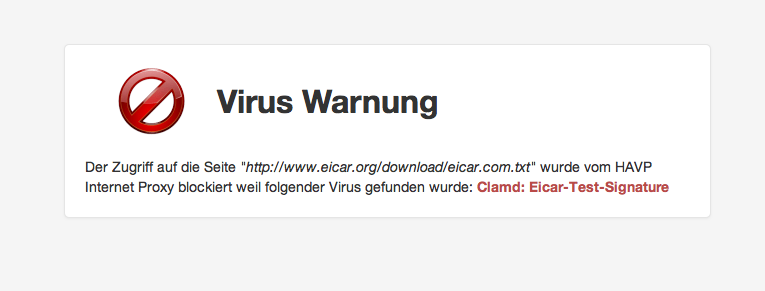
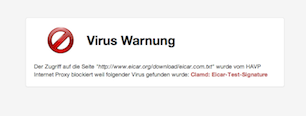
Since the default templates of HAVP look like being stuck in the 90's, I created some nice-looking templates.
You can download them from GitHub: https://github.com/x-way/havp-templates
Currently there is only the german version, feel free to send me a pull-request with another translation :-)
Tuesday, 1. January 2013Week 0
For basic virus protection I'm running a proxy with HAVP and ClamAV.
Since some time I was using HAVPs blacklist functionality to block Ads (by blacklisting *.doubleclick.net and *.ivwbox.de).
As such a manual blacklist is not very efficient I wanted to have an auto-updating list of adservers, thus I started to write the shellscript below which generates an up-to-date blacklist based on the adserverlist from pgl.yoyo.org.
Shortly after this I extended the script to also incorporate a Phising blacklist based on the data from PhishTank.
Currently I'm using the version below which runs in a cronjob every two hours and keeps the HAVP blacklist up-to-date. Please note that you need to insert your own free PhishTank API key when using this script.
#!/bin/sh

cd /etc/havp

OUTFILE=/etc/havp/blacklist

ADSERVERLIST=/etc/havp/adserverlist
PHISHTANK=/etc/havp/phishtank
MYBLACKLIST=/etc/havp/myblacklist

wget -q -N "http://pgl.yoyo.org/adservers/serverlist.php?hostformat=webwasher;showintro=0;mimetype=plaintext"
sed -e 's_^//_#_g' serverlist.php* | sort | uniq > $ADSERVERLIST

wget -q -N http://data.phishtank.com/data/<PhishTank API key>/online-valid.csv.bz2
bzcat online-valid.csv.bz2 | sed \
	-e 's/^[0-9]*,//' \
	-e 's@,http://www.phishtank.com/phish_detail.php?phish_id=[0-9]*,.*$@@' \
	-e 's/^"\(.*\)"$/\1/'  \
	-e 's_^https\?://__' \
	-e 's_/$_/*_' \
	-e 's_^\([^/]*\)$_\1/*_' \
	-e 's/?.*/*/' | \
grep -vF 'phish_id,url,phish_detail_url,submission_time,verified,verification_time,online,target' | \
iconv -f utf8 -t ascii -c - | sort | uniq > $PHISHTANK


echo "# blacklist file generated by $0, `date`" > $OUTFILE

echo "\n# MYBLACKLIST:" >> $OUTFILE
cat $MYBLACKLIST >> $OUTFILE

echo "\n# ADSERVERLIST:" >> $OUTFILE
cat $ADSERVERLIST >> $OUTFILE

echo "\n# PHISHTANK:" >> $OUTFILE
cat $PHISHTANK >> $OUTFILE
Sunday, 5. August 2012Week 31
Thanks to the ngx_echo module, it is trivially easy to build a clone of the icanhazip.com service with nginx:
server {
	listen 80;
	listen [::]:80;

	location / {
		echo $remote_addr;
	}
}
Tuesday, 14. February 2012Week 7
While playing around with my Puppet configuration I discovered that the 'system facts' returned by the Facter helper tool were not consistent on my Debian boxes.
On some machines Facter properly reported all LSB related facts of the system, while on other machines it did not report any such information.
The problem occurred on about 50% of the hosts, so I excluded a bug introduced by manual over-tuning of the system configuration.
Further investigation showed that Facter uses the lsb_release command to collect the LSB information of the system.
On Debian this command is provided by the lsb-release package which was only installed on half of my systems...
Now my Puppet manifests include the following configuration directive which should prevent this problem in the future :-)
package { 'lsb-release':
	ensure => installed,
}
Saturday, 17. December 2011Week 50
Quick and dirty way to get an alert before your server starts to go crazy because of a full disk.
This script checks if a disk is more than 75% full.
#!/bin/bash

df -h | awk '/%/ {
        limit = 75
        percent = sprintf("%d",$5)
        if ( percent > limit ) {
                print "Warning: ",$6," (",$1,") is to ",percent,"% full:"
                print $0
        }
}'
Save it under /root/check_disk_usage.sh and create the following crontab entry to check the disk usage every day at half past midnight.
30 0 * * * /root/check_disk_usage.sh
Assuming your host has configured an MTA and defined a recipient for root@<yourhost>, you should get an e-mail whenever a disk is more than 75% full.
Tuesday, 28. July 2009Week 30
To process all **frozen** messages in the Exim queue use this command:
mailq | grep frozen | awk '{print $3}' | xargs exim -v -M
Tuesday, 10. March 2009Week 10
To whipe the Exim message queue use the following command:
exim -bp | exiqgrep -i | xargs exim -Mrm
Friday, 6. March 2009Week 9
Adding the following line to the Exim4 configuration prevents that all the disk space is used up by the messages in the spool folder:
check_spool_space=100M
This refuses incoming messages with a "452 Space shortage, please try later" message when less than 100 megabytes of disk space are available on the partition where the spool folder resides.
Sunday, 4. May 2008Week 17
Monday, 28. April 2008Week 17
sudo apt-get install kaffeine dvb-utils mercurial linux-headers-$(uname -r) build-essentialhg clone http://linuxtv.org/hg/v4l-dvbcd v4l-dvbsudo makesudo make install
If you're using another flavor of Linux or Ubuntu you may be missing the firmware file, you can get it here.
 Pro-Linux: Musikverwaltung unter Linux, ein Vergleich verschiedener Programme
Tuesday, 25. March 2008Week 12
Pro-Linux: Musikverwaltung unter Linux, ein Vergleich verschiedener Programme
Tuesday, 25. March 2008Week 12
XSel gives easy commandline access to the X11 clipboard (primary & secondary).
Sunday, 23. March 2008Week 11
Unix Toolbox, a nice collection of Unix/Linux/BSD commands, may be useful for advanced users.
Thursday, 24. January 2008Week 3
Sunday, 6. January 2008Week 0
Instead of learning for the exams, I mess around with strange things:
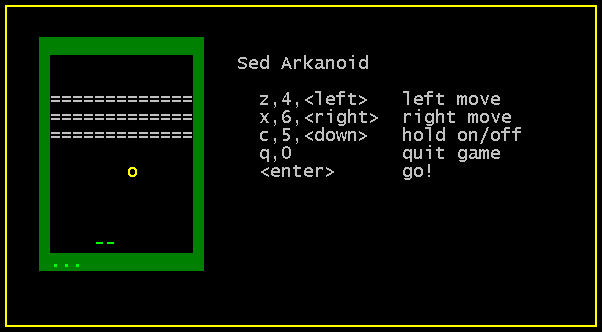
arkanoid.sed is a breakout-game written entirely in sed. Download the sed-file and use sed -f arkanoid.sed to start the game. (via)
Sunday, 16. September 2007Week 37
NameVirtualHost *:443
NameVirtualHost *:80

<VirtualHost *:80>
	ServerName example.org
	RewriteEngine on
	RewriteRule ^(.*)$ https://%{SERVER_NAME}$1 [L,R]
</VirtualHost>

<VirtualHost *:443>
	ServerName example.org
	DocumentRoot /var/www/example.org
	...
</VirtualHost>
Friday, 18. August 2006Week 33
Thanks to this (really simple) tutorial from debian-administration.org I managed to enable SSL on my server. Thus links.x-way.org is available via HTTPS.
If you run a server without SSL, please take two minutes and enable it.
Your users will be thankfull for their protected privacy.
Sunday, 25. June 2006Week 25
Today I finally installed a mail transfer agent/mail delivery agent on my server.
I quickly looked at the most popular applications for such a job (Exim, Postfix and qmail) and choosed Exim 4 (especially because it's the only one which is 'real' opensource).
Then I searched a Howto or tutorial on Google, but most results were not really useful. For example the Exim 4 Howto from debianhowto.de like many others disappointed me a bit since they don't give any advice on configuring Exim. But after some evolution and mutation of the search string I finally found a very good guide.
Configuring Exim4 and Courier IMAP under Debian GNU/Linux from Jason Boxman helped me to set up Exim step by step. Not also he explains how to install Exim but he also shows how to interact with Courier IMAP and how to secure all transfers with SSL.
I can only recommend you this guide if you want to install Exim 4 on a Debian system.
Friday, 17. February 2006Week 7
Linux wurde erfolgreich auf dem Intel-iMac gebootet! :-)
Mit Hilfe des EFI Linux Bootloaders elilo, eines modifizierten Kernels und eines gehackten Vesa-Framebuffer Treibers ist es dem Xbox-Linux Entwickler Edgar Hucek aka gimli gelungen den Linux Kernel und anschliessend auch Gentoo Linux auf einem 17-Zoll iMac mit Intel Core Duo Prozessor zum Laufen zu bringen.
Im Mactel-Linux Wiki finden sich schon ein paar Screenshots sowie die Ausgaben von dmesg und lspci.
Momentan konnte die graphische Oberfläche (aka X) noch nicht zum Starten gebracht werden. Anhand der Zeile
01:00.0 VGA compatible controller: ATI Technologies Inc Unknown device 71c5
in der Ausgabe von lspci vermute ich, dass die ATI Graphikkarte nicht
erkannt/unterstützt wird und deshalb X noch nicht gestartet werden
kann. Aber wie vom Entwickler gesagt, ist Mactel-Linux vorerst nur ein
grosser Hack, und es wird noch etwas Zeit benötigen bis Linux stabil
auf den Intel Macs läuft.
Bei der Namenswahl hätten sich die Entwickler von mir aus lieber
etwas anderes einfallen lassen können. 'Mactel' assoziere ich mit
Telefon und nicht mit Computer. Aber daran werde ich mich wohl gewöhnen
müssen, genauso wie an das unmögliche 'MacBook Pro'.
via symlink.ch
Update 18.02.06:
Mittlerweile existiert auch ein HOWTO und eine Memory Map des EFI. Der gehackte Vesa-Framebuffer Treiber funktioniert bis jetzt aber ausschliesslich mit dem 17-Zoll iMac.
Sunday, 17. April 2005Week 15
Da gerade mein Kernel "geupdatet" wird, habe ich den Patch zur Unterstützung der PowerBook Buttons an die aktuelle Kernelversion angepasst.
Bei dieser Gelegenheit habe ich den neuen Patch an ein paar
Kernelentwickler geschickt, vielleicht schafft er's diesmal bis in den
"offiziellen" Kernel.
Update:
Der Patch hat's bis zu Linus geschafft ([PATCH] macintosh/adbhid.c: adb buttons support for aluminium PowerBook G4), wird also in der nächsten Kernelversion dabei sein :-)
Friday, 1. April 2005Week 13
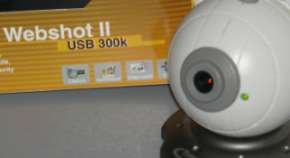
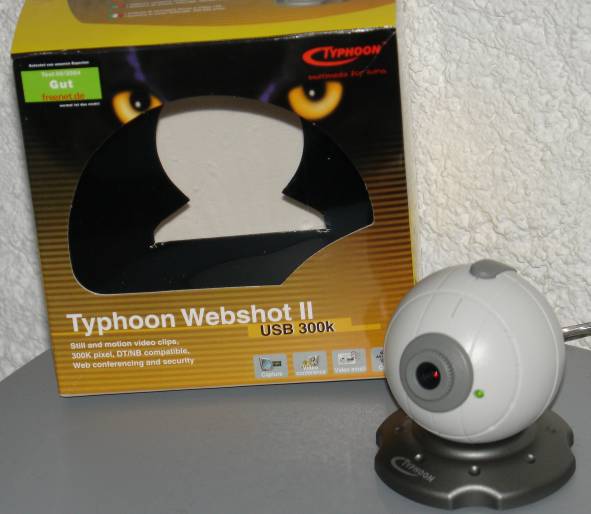
Heute habe ich beim Einkaufen diese 'Webcam' entdeckt. Für 29.90 CHF
(~20€) bietet sie bis zu 30 640×480 Pixel grosse Bilder pro Sekunde.
Mit dabei eine CD mit Treiber für Windows 98 bis XP.
Als ich sie an mein Linux-PowerBook anschloss sagte mir dmesg nur gerade diese zwei Zeilen:
ohci_hcd 0001:01:1b.0: remote wakeup
usb 3-1: new full speed USB device using address 2
Von usbview wurde die Webcam auch nicht erkannt. Also super Voraussetzungen für einen Betrieb mit Linux.
Nach etwas googeln fand ich spca50x.sf.net und das entsprechende 2.6er-Kernerlmodul. Erfreulicherweise ist das auch im Portage-Tree von Gentoo. Also schnell ein emerge spca5xx. Ein modprobe spca5xx
lässt einige Fehlermeldungen erscheinen (Unresolved Symbols). Abhilfe
schafft das Aktivieren der Video for Linux Unterstützung im Kernel.
Nach make, make modules und make modules_install
lädt das spca5xx Modul problemlos (eigentlich sollte man nach einem
Neukompilieren des Kernels auch den neuen Kernel laden und nicht nur
die neuen Module!).
Ein chmod a+rx /dev/video0 als root behebt Berechtigunsprobleme, welche beim Zugriff als normaler Benutzer auftreten können.
Fazit:
- Die Webcam bietet IMHO mehr als man für 30 CHF erwarten kann
- Mit Linux kann man ohne Neustart Peripheriegeräte von 'unbekannt' zu 'vollständig unterstützt' ändern
Wednesday, 9. June 2004Week 23
Von Vim ist Version 6.3 erschienen.
Via theflow
Seit ein paar Monaten, benutze ich GnuCash um mein "Vermögen" zu verwalten.
GnuCash wurde in erster Linie für Privatanwender und KMUs entwickelt und bringt entsprechende Features mit:
- Doppelte Buchhaltung mit allem was dazugehört: Journal, Tansaktionen etc.
- OFX Import (was leider in der Schweiz von keiner Bank angeboten wird)
- HBCI-Untersützung (welche bisher vor allem in Deutschland angeboten wird)
- QIF-Unterstützung
- Generierung von Berichten
- Aktienkurse aus dem Internet
- Devisenkurse aus dem Internet
- Handling von Aktien- und Fonds Portfolios
- Kunden- und Lieferanten Verwaltung
- Rechnungsverwaltung
- Steuerverwaltung
- Fristenverwaltung
Sunday, 16. May 2004Week 19
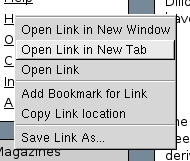
Wie ich nach einem Update erfreut festgestellt habe, kann Dillo jetzt auch mit Tabs umgehen.
 Saturday, 8. May 2004Week 18
Momentan machen wir im Programmieren ein Projekt in Zweierteams. Um die ganze Codehandhabung zu vereinfachen, hat sich unser Team entschieden, CVS einzusetzen. CVS bietet eine zentrale Codeverwaltung mit Versions- und Konfliktsmanagement.
Da ich als CVS-Neuling das CLI-Interface nur grundlegend kenne, habe ich mich nach einem GUI-Interface umgeschaut. Dabei habe ich zwei überzeugende Programme gefunden: TkCVS und LinCVS, das auch auf Windows portiert wurde.
Monday, 23. February 2004Week 8
Da es für die im PowerBook eingebaute Airport Extreme WLAN-Karte (Broadcom) keine Linuxtreiber gibt, habe ich vor ein paar Wochen eine Netgear MA401RA günstig erworben (ist ein Auslaufmodell). Für diese hat es im Kernel selbst Treiber.
Um PCMCIA aufm PowerBook zum Laufen zu bringen benötigte es eine spezielle config.opts. Nun funktioniert die drahtlose Verbindung problemlos. Jedoch unterstützen die Treiber des Kernels den Monitor-Modus nicht, welcher für Spielereien wie Kismet, wellenreiter etc. benötigt wird. Um diesen Modus nützen zu können müssen zuerst die Treiber gepatcht werden (der Patch funktioniert partiel auch für 2.6.1 und 2.6.3 Kernel).
Dazu einfach den Patch ins Verzeichnis /usr/src/linux/drivers/net/wireless/ kopieren und dort folgenden Befehl ausführen: patch -p4 < orinoco-0.13e-2.6.2-patch.diff
Dummerweise schneits draussen und ich bin erkältet, so dass ich nicht spielen gehen kann :-(
Saturday, 21. February 2004Week 7
Zehn kleine UNIX Zeilen
Reicht man ein zur Klage.
Die eine die auf griechisch war,
War leider viel zu vage.
Neun kleine UNIX Zeilen
Sollten es begründen.
Die eine war trotz größter Müh'
In LINUX nicht zu finden.
Acht kleine UNIX Zeilen
Dienten zum Beweise.
Die eine war aus BSD,
Pech für Anwalt Heise.
Sieben kleine UNIX Zeilen,
Kamen vor Gericht.
Die eine war 'ne Fehlernummer,
Die taugte dazu nicht.
Sechs kleine UNIX Zeilen,
Sollten es belegen.
Doch eine kam zur GPL
Durch SCO Kollegen.
Fünf kleine UNIX Zeilen
Waren noch dabei.
Die eine kam von einem Band
Mit Aufschrift System Drei.
Vier kleine UNIX Zeilen,
Doch eine, sonderbar,
Gehörte nicht zum dem Programm,
Sie war ein Kommentar.
Drei Kleine UNIX Zeilen,
Waren das Problem.
Eine war zwar System Five,
Doch kam von IBM.
Zwei kleine UNIX Zeilen,
Waren noch geblieben.
Die eine war schon reichlich alt
Und kam von System Sieben.
Eine kleine UNIX Zeile
Wurde angeführt.
Die hatte Linus Torvalds selbst
Am Anfang programmiert.
Ohne eine UNIX Zeile
Kann SCO nichts machen.
Doch eines muss man zugestehn:
Wir hatten was zu lachen.
Schlussbemerkung:
Hier zeigt sehr schön ein Kinderlied,
Warum McBride die Wahrheit mied.
Ausm heise online-Leserforum via vowe.net
Wednesday, 21. January 2004Week 3
lmud-0.02-fg-1.tar ist verfügbar. Neu mit Kontrolle der Displayhelligkeit und einem "smooth"en Helligkeitswechsel.
Sunday, 11. January 2004Week 1
Ich habe mein Wallpaper-Script noch ein bisschen ausgebaut. Nun wird das ausgewählte Bild in ~/.pekwm/start eingetragen, damit es bei jedem Start von pekwm automatisch geladen wird.
#!/usr/bin/perl
#
# 2003 by x-way - http://waterwave.ch/weblog
#
# Add this to your menu, if you have pekwm's dynamic menu support:
#
# SubMenu = "Backgrounds" {
#   Entry { Actions = "Dynamic /path/to/this/file /path/to/your/wallpapers" }
# }
#

use warnings "all";
use strict;

if($ARGV[0] eq '-set') {
        my $wallpaper = $ARGV[1];

        open(PKCONF, "<$ENV{HOME}/.pekwm/start") or die "Can't open ~/.pekwm/start";
        my @file = <PKCONF>;
        close(PKCONF);

        my @file2 = ();
        my $set = '';

        foreach (@file) {
                s/^xsetbg -center ".*"/xsetbg -center "$wallpaper"/gi;
                push(@file2, $_);

                if(index($_, 'xsetbg -center') == 0) {
                        $set = $_;
                }
        };

        if($set eq "") {
                push(@file2, "xsetbg -center \"".$wallpaper."\"");
        }

        open(PKCONF, ">$ENV{HOME}/.pekwm/start") or die "Can't write ~/.pekwm/start";
        print(PKCONF @file2);
        close(PKCONF);
} else {

        print("Dynamic {\n");

        for(my $i = 0; $i < scalar(@ARGV); $i++) {
                my $dir = $ARGV[$i];

                opendir(DIR, "$dir") || die "Can't opendir $dir: $!";
                my @backgrounds = grep { (! /^\./) } readdir(DIR);
                closedir DIR;

                foreach my $x (@backgrounds) {
                        my $y = $x;
                        $y =~ s+.*/++g;

                        if(! -d "$dir/$x") {
                                $y =~ s/\.[^\.]*$//g;
                                $y =~ s/(_|-)[0-9]{3,4}(x[0-9]{3,4}|)//g;
                                $y =~ s/_/ /g;
                                $y =~ s/%20/ /g;
                                print("Entry = \"$y\" { Actions = \"Exec xsetbg -center \\\"$dir/$x\\\" && $0 -set \\\"$dir/$x\\\" \" }\n");
                        } else {
                                print("Submenu = \"$y\" {\nEntry { Actions = \"Dynamic $0 \\\"$dir/$x\\\" \" }\n}");
                        }
                }
        }

        print("}\n");
}
Tuesday, 30. December 2003Week 52
Auf dem alten Pentium II meiner Eltern habe ich gestern Mandrake Linux 9.2 installiert.
Nun taucht plötzlich folgendes Problem auf: In X funktioniert die Maus nicht (/dev/psaux und /dev/mouse ist "busy") und das Netzwerk will auch nicht mehr. Wenn ich beim Booten das Starten des eth0-Interfaces überspringe, funktioniert die Maus, aber das Netzwerk will auch nach manuellem initialisieren nicht funktionieren.
Die Maus ist eine PS/2 Logitech, und die Netzwerkkarte eine ISA-3Com-3c509 (das entsprechende Kernelmodul lädt ohne Fehlermeldung oder ähnliches). Irgendwelche Ideen? Lösung?
Mandrake benutzt eine RPM-basierte Packetverwaltung. Defaultmässig sind dort nur die Pakete auffindbar, die auf der Installations-CD sind. Da ich aber nur die erste Installations-CD besitze, habe ich auf ftp://sunsite.cnlab-switch.ch/mirror/mandrake ein bisschen rumgeschaut und die URLs und die hdlist.cz Dateien in die Mandrake-Paketverwaltung integriert, so dass ich Zugriff auf (alle?) Mandrake-Pakete habe. Jedoch habe ich auch dort einige Pakete nicht gefunden. So fehlen mir immernoch der Acrobat Reader und der Flashplayer etc. Weiss zufällugerweise jemand, wo ich diese finden kann?
Tuesday, 23. December 2003Week 51
Beim dritten Anlauf ist es endlich gelungen: Linux läuft mit X und Sound auf dem PowerBook :-)
Als Distribution dient wieder Gentoo. Dank dem 2.6er-Kernel funktioniert der Sound mit ALSA nach einem insmod out of the box. Als WindowManager kommt Kahakai, ein Blackbox/Fluxbox/Waimea-Clone zum Einsatz; Enlightenment, ratpoison, evilwm, pwm und pekwm will ich aber auch noch ausprobieren.
Leider ist der WLAN-Chip der Airport Extreme-Karte von Broadcom, welche ja bekanntlich keine Treiber für Linux haben. Auch der Erfolg des NdisWrapper bringt mich nicht weiter, da zwar der gleiche Chip in der Karte steckt jedoch der NdisWrapper nur auf x86 funktioniert :-(
Mal schauen ob ich noch das SuperDrive zum brennen kriege...
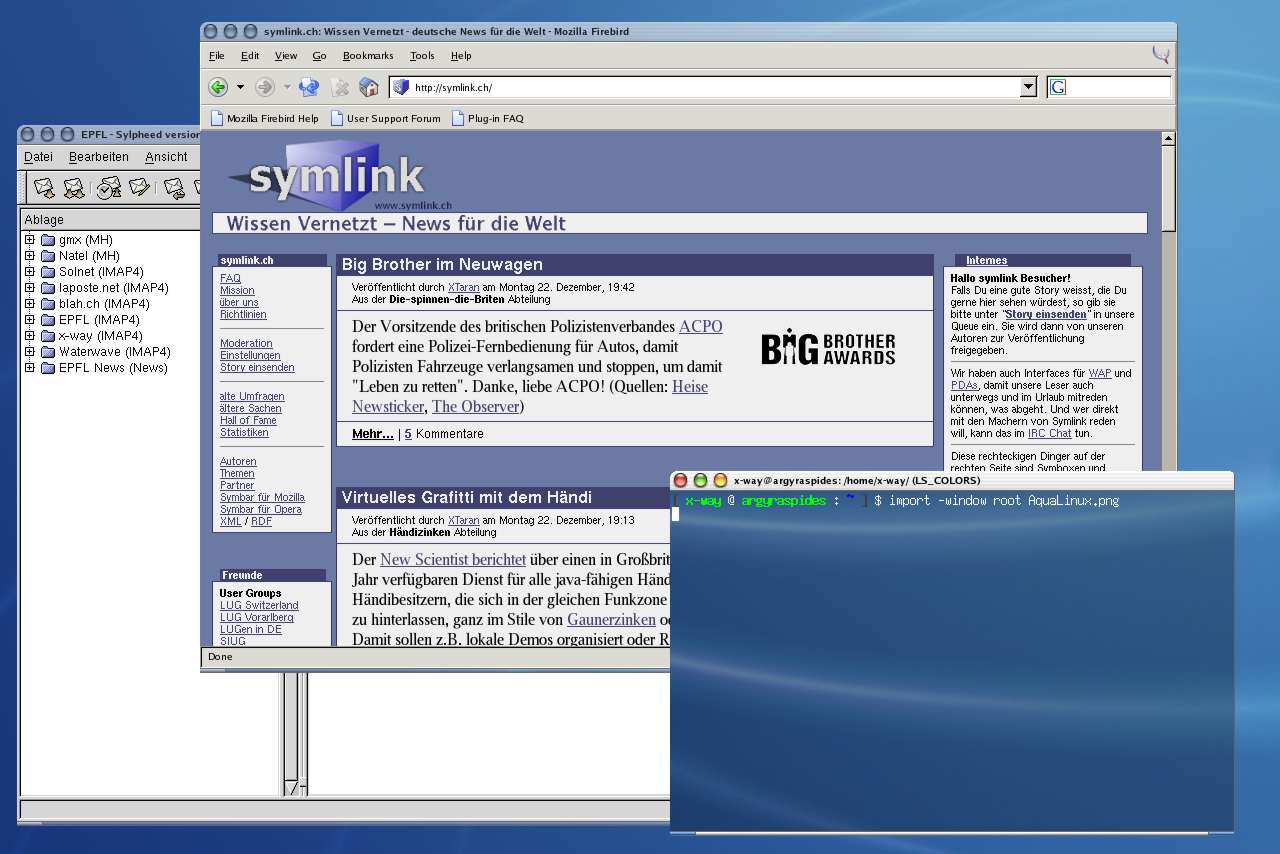
Aqua on Linux
Saturday, 6. December 2003Week 48
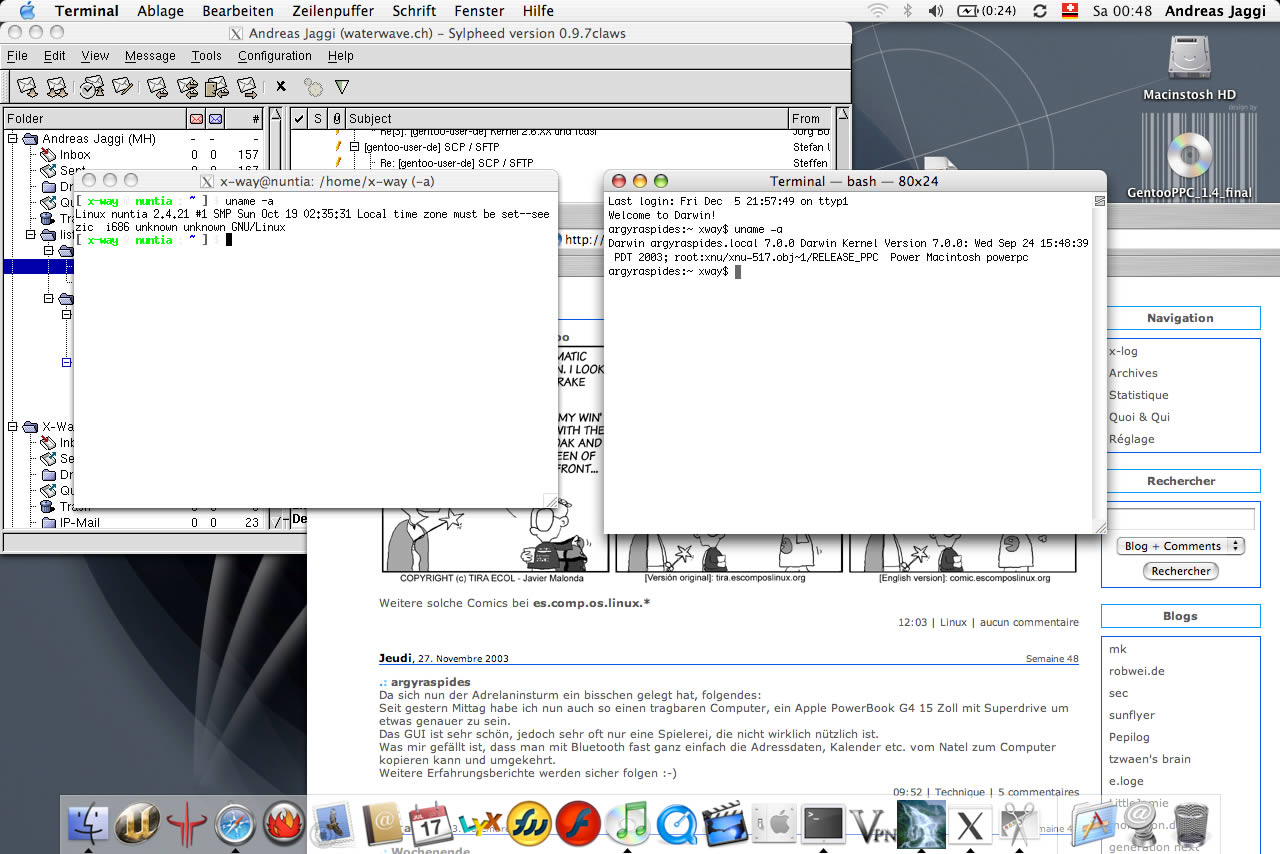
Ein hübsches Bildchen von meinem neuen Gerät:
Sylpheed läuft auf einem anderen Rechner (nuntia) und die X11-Ausgabe wird via SSH zum X11 vom Mac umgeleitet. Davor das Terminal mit der SSH-Session und das Terminal vom Mac. Dahinter noch Safari, der KHTML-basierte Browser von Apple. Zuunterst das "berühmte" Dock.
Und nun startet der Installationsversuch Nummer 2 von Linux. Diesmal mit einer seperaten /boot-Partition und vermutlich auch gerade Kernel 2.6...
Friday, 5. December 2003Week 48

Weitere solche Comics bei es.comp.os.linux.*
Saturday, 12. July 2003Week 27
Zurück aus den Ferien, konnte ich endlich einmal wieder vor meinen Computer sitzen *g*
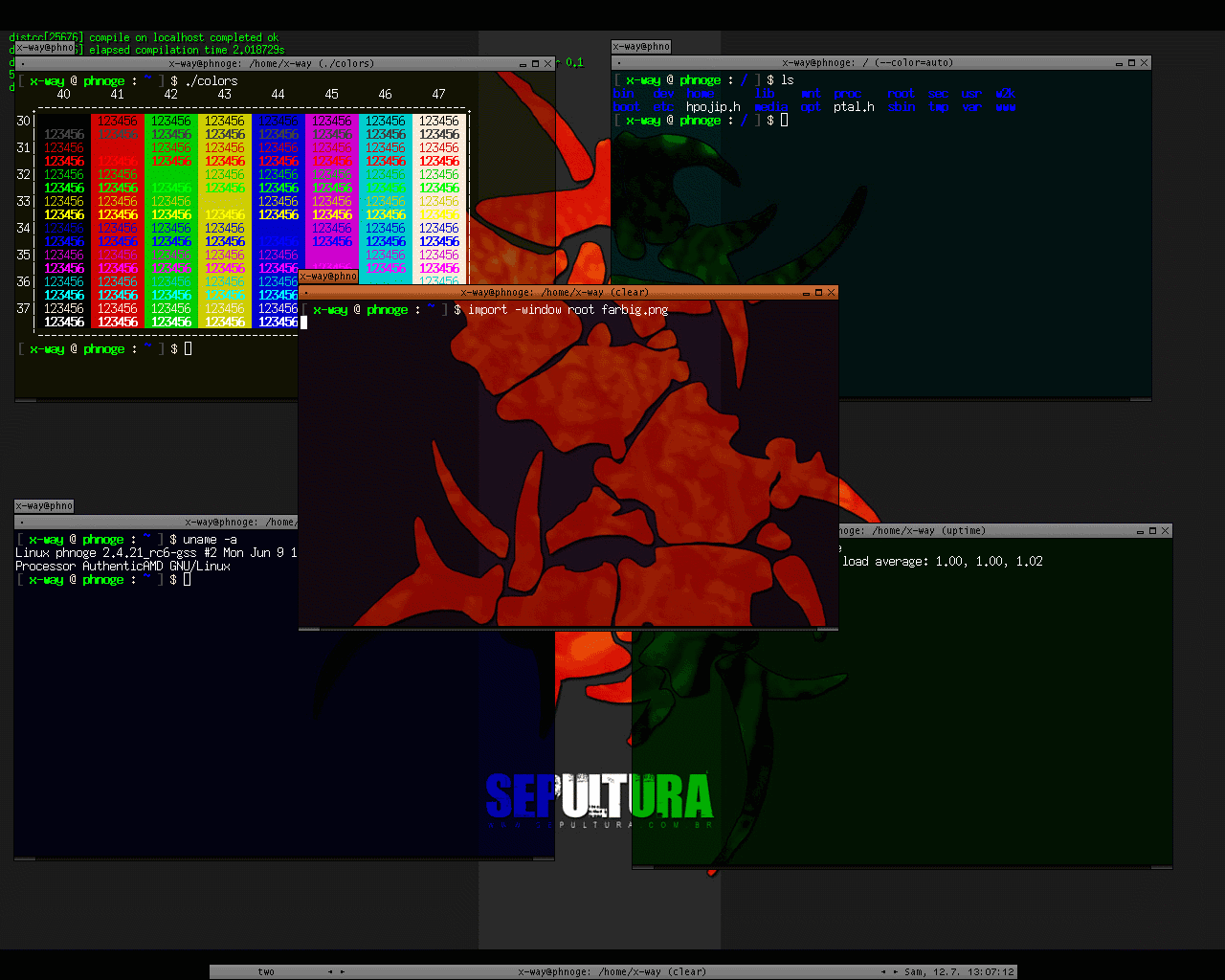
Dieser Screenshot zeigt, was dabei herausgekommen ist:
- Farbige Terminals aterm -tr -sh 75 -rv +sb -tint blue
- Farbiger Prompt PS1='\[\033[1;30m\][ \[\033[01;32m\]\u\[\033[0;37m\] @ \[\033[01;32m\]\h \[\033[0;37m\]: \[\033[01;34m\]\w\[\033[1;30m\] ] \[\033[0;37m\]\$ \[\033[01;00m\]'
- Farbiges ls alias ls="ls --color=auto"
- Farbtabelle für die Shell: colors
- Informative Titelleisten PROMPT_COMMAND='echo -ne "\033]2;$USER@$HOSTNAME: $PWD ($_)\007"'
Friday, 4. July 2003Week 26
Dank diesem reichhaltigen Guide habe ich es wieder geschafft, meinen Drucker zum Laufen zu bringen, nachdem ich es, wegen der nicht gemachten Dokumentation vom letzten mal, nochnicht geschafft hatte.
Tuesday, 13. May 2003Week 19
Gerade beim Schockwellenreiter entdeckt und ausprobiert: Menuet OS
Ein 32-Bit-Echtzeit-Betriebssystem mit GUI, komplett in Assembler geschrieben, welches auf einer einzigen Floppy Platz findet!
Tuesday, 29. April 2003Week 17
install.sh mein kleines Shell-Script um die Installation von Gentoo etwas zu automatisieren *g*
Der erste Parameter ist der zu kompilierende Kernel (gentoo-sources, gaming-sources, vanilla-sourves oder was auch immer) default ist gentoo-sources. Der zweite Parameter legt fest, wohin gelogt wird, default ist /root/status. Der dritte Parameter legt fest, ob und welche make.conf nach /etc/make.conf kopiert wird.
Alle Parameter sind optional, will man jedoch den zweiten Parameter verwenden, so muss der erste auch gesetzt werden, ebenso für den dritten, aber das sollte eigentlich klar sein ;-)
Und ja, es ist keinsterweise irgendwie schön programmiert, da es nur mal so ein Versuch war, den aber gewisse Leute unbedingt sehen wollen *g*
Saturday, 26. April 2003Week 16
Da ich ja genügend Zeit habe, den Rechner dauernd laufen zu lassen, habe ich Gentoo auf meinem alten 486er installiert, resp. bin noch dran ;-)
Und damit ich so weiss wie lange das ganze dauert habe ich ein simples Shell-Script geschrieben, dass mir die Bootstrap, emerge system, emerge sync, emerge -u world und emerge sys-kernel/gentoo-sources ausführt und jeweils die Uhrzeit in eine Datei schreibt. Herausgekommen ist nun folgendes:
Beginn Bootstrap
Wed Apr 23 03:49:00 CEST 2003
Beginn emerge system
Fri Apr 25 05:46:54 CEST 2003
Beginn emerge sync
Sat Apr 26 07:59:05 CEST 2003
Beginn emerge -u world
Sat Apr 26 08:21:35 CEST 2003
Beginn emerge sys-kernel/gentoo-sources
Sat Apr 26 08:21:35 CEST 2003
Finished
Sat Apr 26 09:18:42 CEST 2003
Natürlich dauerte das emerge system "nur" so kurz, weil es ein Minimalsystem ohne graphische Oberfläsche etc. ist, insgesamt 76 Packages!
Saturday, 5. April 2003Week 13
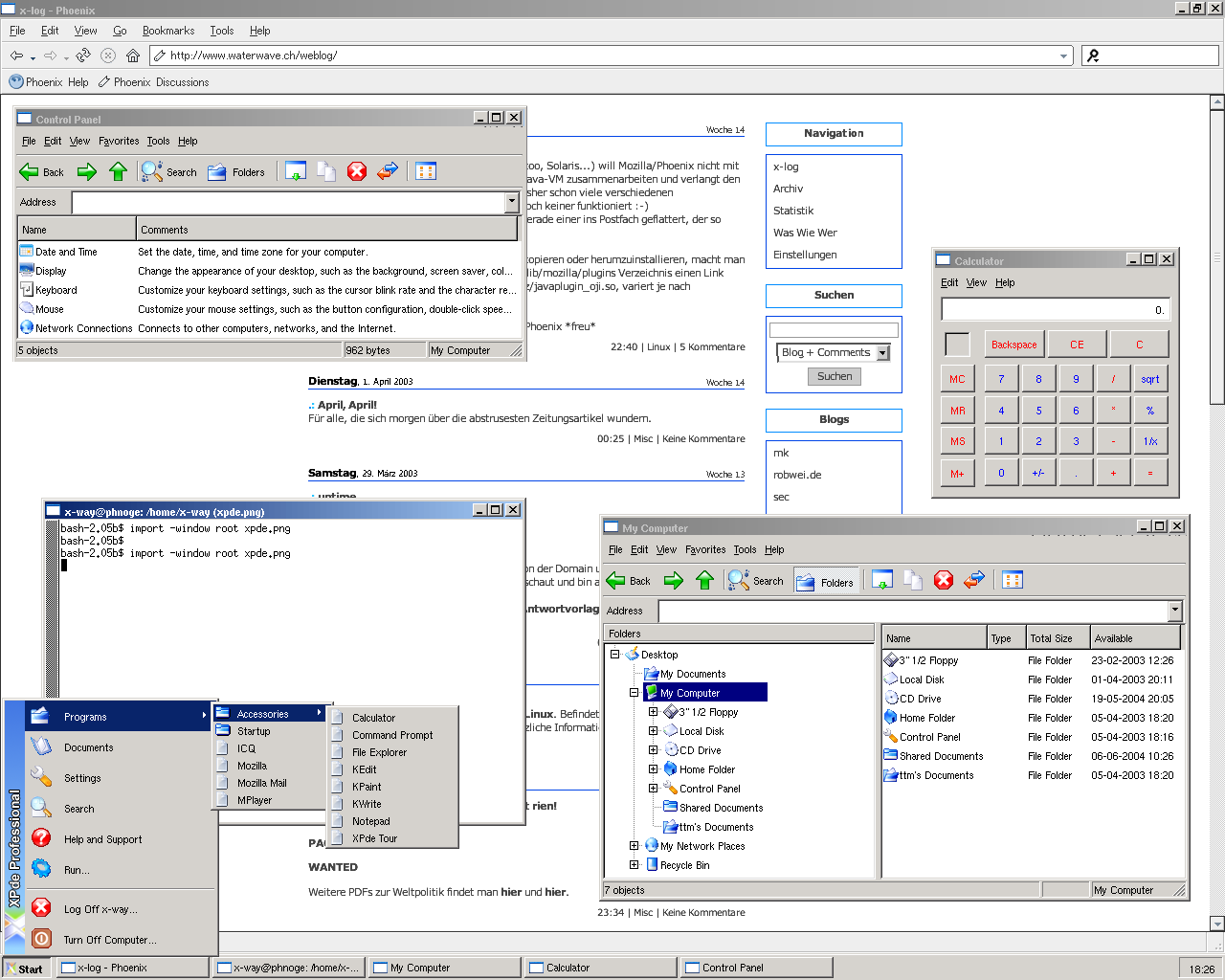
Heute habe ich XPde ausprobiert. Es ist ein dem Windows XP old-style Look nachempfundener Window-Manager.
Sieht nett aus, hat aber noch einige Bugs (daher ist es bei Portage auch noch gemasked).
Monitorschuss?
Wednesday, 2. April 2003Week 13
Bei einigen Unix-Distributionen (Debian, Gentoo, Solaris...) will Mozilla/Phoenix nicht mit dem Plugin der auf dem System installierten Java-VM zusammenarbeiten und verlangt den Download einer eigenen Java-VM. Ich habe bisher schon viele verschiedenen Lösungsansätze gesehen, jedoch hat bei mir noch keiner funktioniert :-)
Vorhin jedoch ist über die LUGS-Mailingliste gerade einer ins Postfach geflattert, der so simpel wie funktionstüchtig ist:
Anstatt die ganze Plugin-Geschichte herumzukopieren oder herumzuinstallieren, macht man einfach im /usr/lib/phoenix/plugins oder /usr/lib/mozilla/plugins Verzeichnis einen Link (libjavaplugin_oji.so) zu /JAVAPFAD/xx/yy/zz/javaplugin_oji.so, variert je nach Distribution und Java-VM!
Bei mir funktioniert nun Java endlich auch im Phoenix *freu*
Saturday, 29. March 2003Week 12
uptime
Friday, 28. March 2003Week 12
So wie SelfHTML für HTML gibt es auch SelfLinux. Befindet sich momentan noch im Aufbau, bietet aber trotzdem schon einige nützliche Informationen.
Wednesday, 12. March 2003Week 10
Nachdem ich letztens meine Platte zerlöchert habe, hab ich nun alles Partitionen darauf platt gemacht und Gentoo ganz neu installiert.
Screenshot
Saturday, 1. March 2003Week 8
Nach kurzem Testen muss ich ein Lob für Ext2Fsd (Ext2 File System Driver) schreiben. Damit und mit dem dabei mitgebrachten mount-Utility kann man eine Ext2/3-Partition ganz einfach mit einem beliebigen Laufwerksbuchstaben quasi in den 'Arbeitsplatz' mounten ;-)
Natürlich funktioniert das auch mit Win-Partitionen.
Desweiteren werde ich gleich SwapFs ausprobieren, das eine Linux-Swap-Partition unter Windows dem Auslagerungsspeicher zur Verfügung stellen soll.
Und vielleicht kann jemand dieses Tutorial (Booting Linux from the NT boot loader) gebrauchen, ich habe mich für GRUB entschieden :-)
Explore2fds ist ein Windows-Explorer ähnlicher Dateimanager für ext2/3 Partitionen für Windows oder so ;-)
Sehr nützlich!
Da ich ja momentan nur mit einer alten Windowsinstallation arbeiten kann, habe ich mich wieder einmal ein bisschen umgeschaut, was für Tools es gibt, damit sich Windows und Linux näher kommen.
Auf dieser Liste habe ich einige gefunden:
- Partition Image für Linux
- Ext2fsprogs wovon es auch für Windows eine Treiber gibt siehe auch hier
- Linux-NTFS Project
- 'Netzwerkumgebung' für Windows
Thursday, 27. February 2003Week 8
Gentoo 1.4_rc3 ist da!
Sunday, 9. February 2003Week 5

Dies ist die aufs UT2003 aufgedruckte Altersbeschränkung, aber um die gehts in diesem Eintrag gar nicht, denn um diese Alterbeschränkung hier zeigen zu können, musste ich sie zuerst scannen und darum gehts.
Beim rumsurfen bin ich auf dieses Tutorial von Pro-Linux.de gestossen. Da ich einen HP PSC 950 Drucker, Scanner, Fax, Kopierer, Media-Card-Reader besitze, und ich zuerst annahm, dass der garnicht mit Linux zusammenarbeitet, war ich schon sehr glücklich, als ich den Drucker zum Laufen brachte. Von dem Tutorial angeregt, hab ich mich nocheinmal dahintergesetzt und nach langem und sehr intensivem Basteln (Drucker in CUPS entfernen, CUPS stoppen, HPOJS installieren, PPD File neu generieren, HPOJS Starten, HPOJS Konfigurieren, CUPS Starten, Drucker in CUPS wieder einrichten, schauen ob was erkennt wird, Scanner ja, Drucker nein (??), nocheinmal (und noch viele male mehr) alles von vorne ... ) geschafft, dass ich nun auch unter Linux Scannen kann, den Beweis seht ihr ja.
So, mal schauen ob wir den eingebauten Media-Card-Reader auch noch zum Leben erwecken können ...
Thursday, 6. February 2003Week 5
rw hat wiedereinmal ein paar nützliche tutorials aufgestöbert/geschrieben:
- Better Ad Blocking for Mozilla and Netscape 7
- RPM- und TGZ-Paket erzeugen mit Checkinstall
- GnuPG - Quick 'n' dirty
Monday, 3. February 2003Week 5
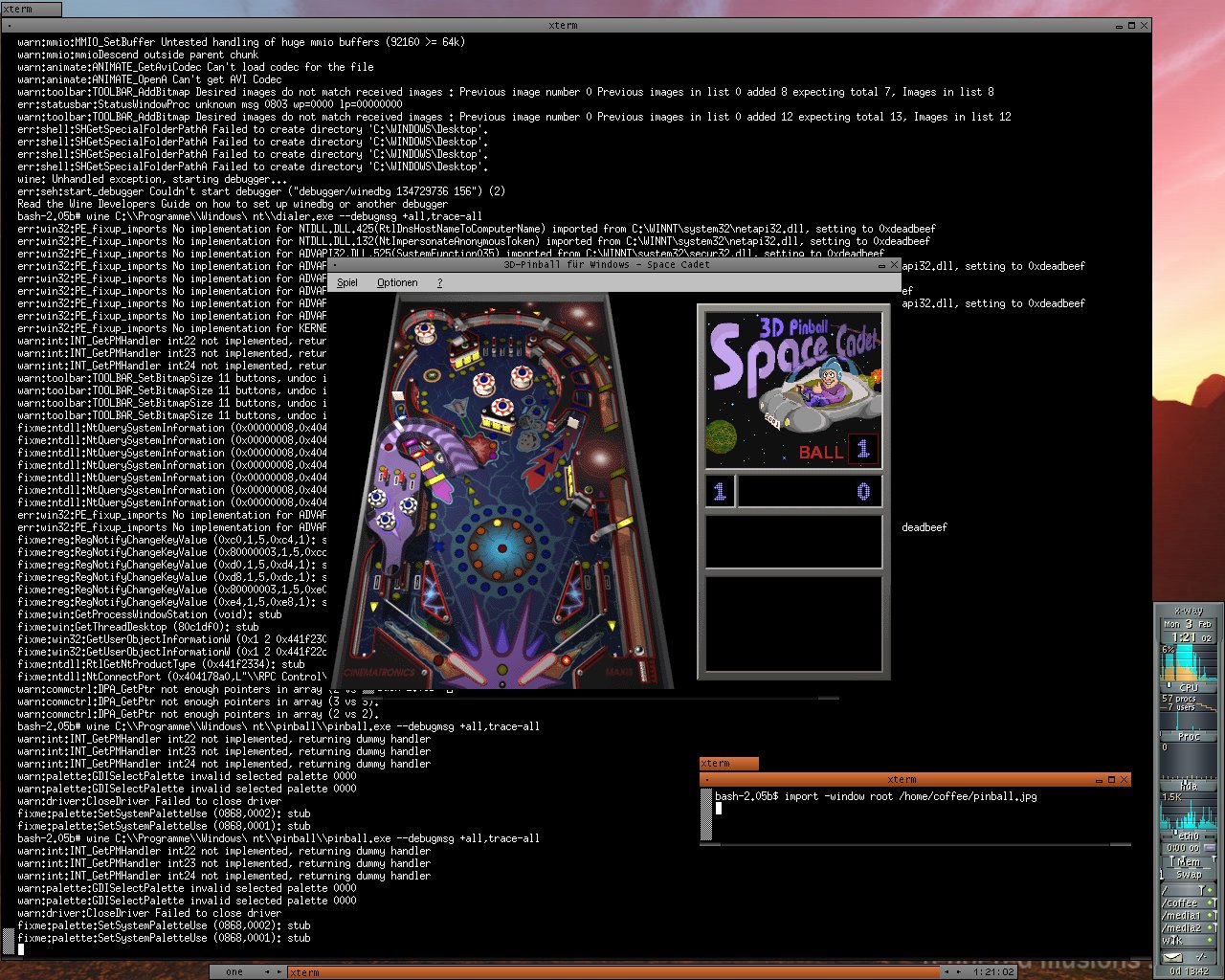
Mit Wine kann man so lustige Sachen wie diese machen.
So, noch ein bisschen basteln, vielleicht krieg ich ja Fireworks so zum laufen :-)
Sunday, 2. February 2003Week 4
Nebst UT und UT2003 läuft jetzt auch Quake3A :-)
Saturday, 1. February 2003Week 4
Leider kommt das gepostete Script nicht mit Ordnernamen, die mit Spaces vermurkst sind (ja genau, von Windows), zurecht. Wenn man nun zuerst die Ergebnisse von find ... in eine Datei speichert (mit -fprint Datei) und diese dann dem tar ... übergibt (mit --files-from=Datei) funktionierts! Evtl. muss man noch mittels --exclude=Datei diese Hilfsdatei vorm tar verstecken ;-)
Ich hab mich mal ein bisschen mit inkrementellem Backup beschäftigt. Rausgekommen ist das hier, vielleicht kanns ja sonst noch jemand gebrauchen.today=`date +%d%b%Y`
backup_path=/backup
tar -cvf $backup_path/backup_$today.tar `find /home /www /root -newer $backup_path ! -name *~ ! -type d -print` > $backup_path/backup_$today.toc
Dieses Shellscript macht ein tar-file mit den Dateien aus /home, /www und /root, die seit dem letzten Backup verändert wurden und legt dieses unter /backup ab inklusive einer Inhaltsangabe :-)
Wednesday, 29. January 2003Week 4
Jetzt läuft nebst UT auch UT2003 mit Gentoo :-)
Screenshots und Framerates gibts (noch) nicht ;-P
Tuesday, 21. January 2003Week 3
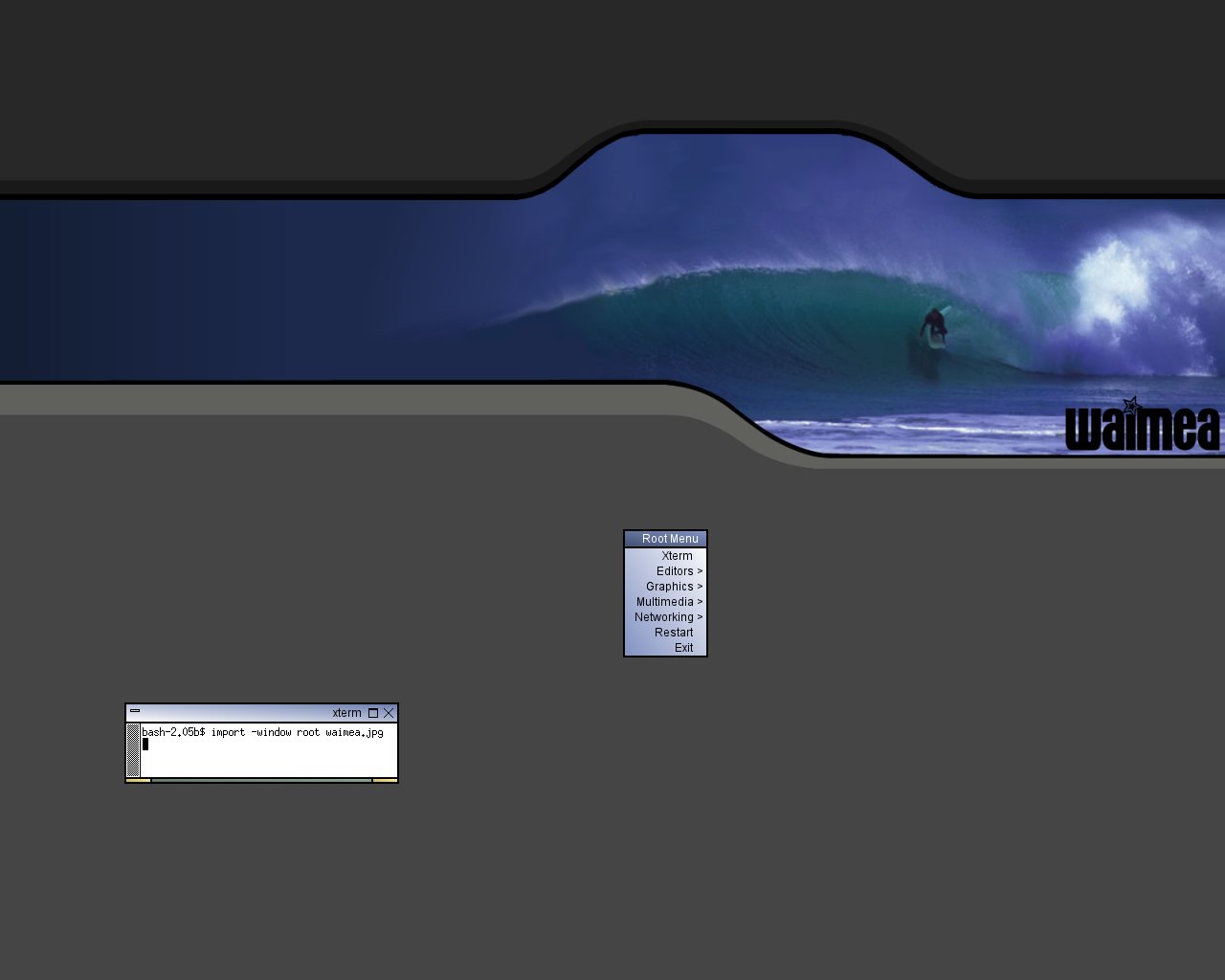
Gerade bei mk entdeckt: waimea, ein WindowManager, der mich vor allem mit dem schönen Standard-Hintergrund überrascht hat *g*
Er soll auch mit BlackBox-Styles umgehen können und mit Transparenz noch mehr...
Screenshot
mk macht auf seinen Seiten nun eine Sammlung von Tutorials zu Linux und X11. Aber nicht 'normale' Tutorials sondern eher Tunning-Tutorials :-)
Wer Spass haben will kann unter Linux mal folgendes ausprobieren:su
root-passwort
cat /dev/mouse > /dev/Pfad zum Drucker
Monday, 13. January 2003Week 2
Nein, nicht MPlayer wie mplayer.exe !!!
Sondern MPlayer. Wie vielerorts gesagt, kann auch ich mich daran anschliessen: geiles Tool ;-)
MPlayer mit aalib (daher die vielen Buchstaben ;-) : Screenshot
Saturday, 11. January 2003Week 1
Mit Hilfe von diesem Tutorial habe ich nun mein Gentoo so eingerichtet, dass es mit meinem HP PSC 950 zusammen drucken kann.
Wednesday, 8. January 2003Week 1
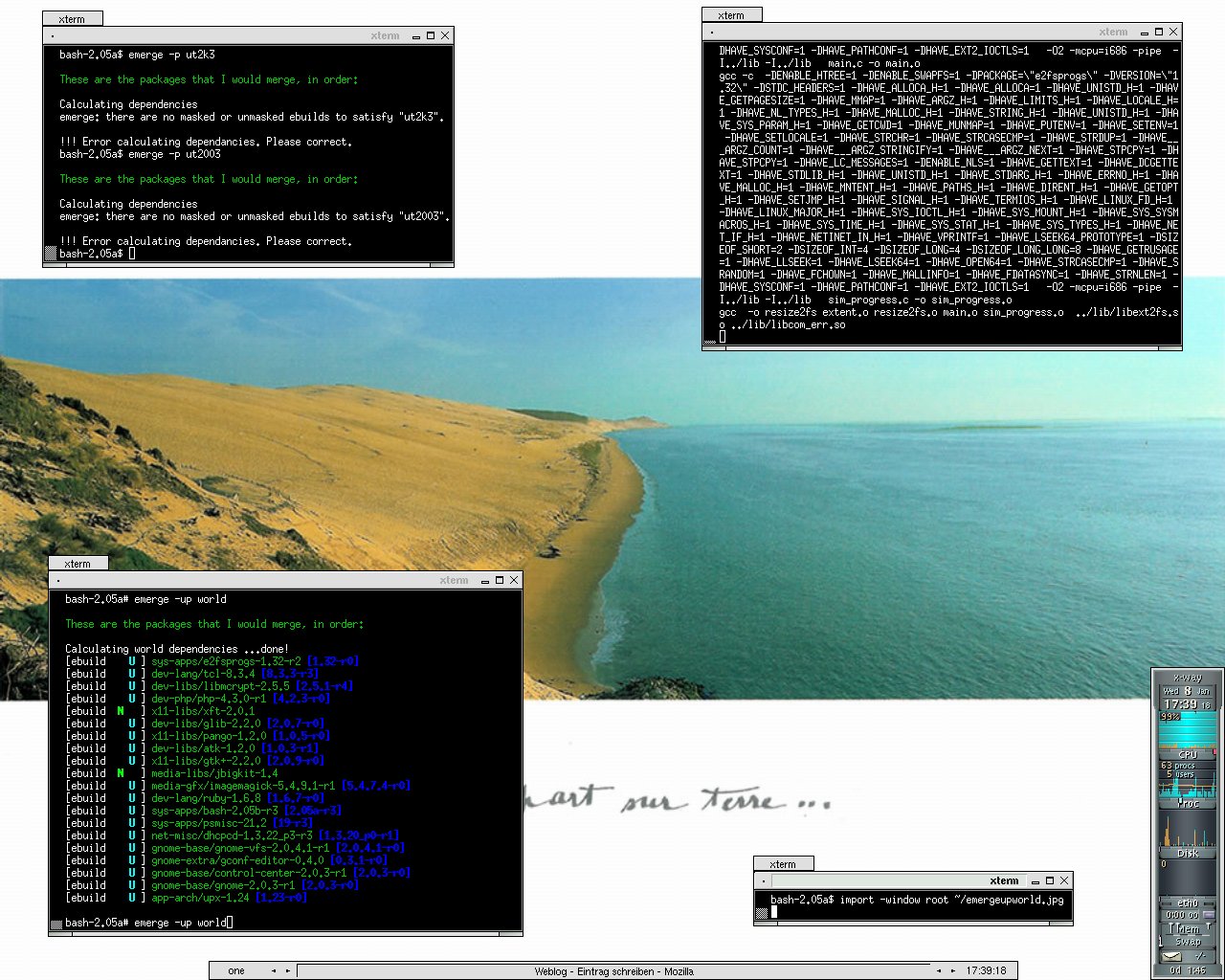
Jetz hab ich doch erst vorhin das ganze System aktualisiert, inklusive PHP (von 4.2.3 auf 4.3.0-r1). Und nun schaue ich wieder und es sind schon wieder fast 10 Updates verfügbar (z.B. PHP 4.3.0-r2). Manchmal ist mir Gentoo doch ein bisschen zu schnell ;-)
Auf diesem Screenshot sieht man wie mittels emerge -u world
die installierten Programme aktualisiert werden.
Das Theme für fluxbox nennt sich SLdr und stammt von mk. Den Hintergrund kann man hier finden.
Ich hab grad 'E: (Games)' plattgemacht und mit mke2fs -j /dev/hda6
und diesem Eintrag in /etc/fstab /dev/hda6 /usr/local/games ext3 noatime,user 0 0
wiederbelebt ;-)
Wednesday, 1. January 2003Week 0
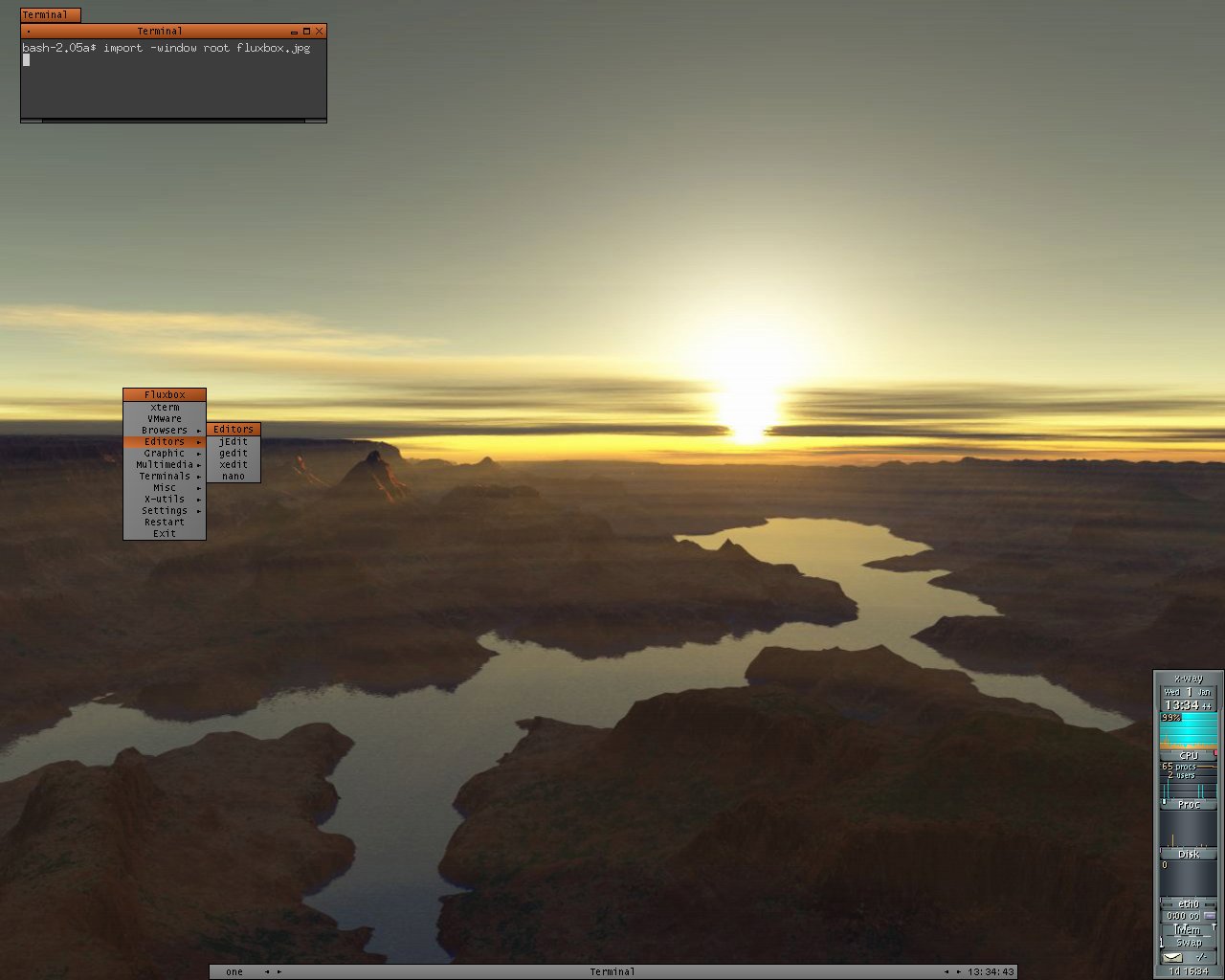
Mein Gentoo ist wieder einmal neu kompiliert. Diesmal hab ich mir die Zeit genomen und dieses Tutorial über XFree86 ganz durchgelesen. Daher weiss ich nun, wie man den Windowmanager einstellt. Vermutlich kommt es auch daher, dass ich GNOME noch nie gestartet habe sondern die ganze Zeit mit Fluxbox arbeitet ;-)
Einen Screenshot gibt's natürlich auch.
Monday, 23. December 2002Week 51
Eigentlich sollte hier eine Meldung über die erfolgreiche Installation von Gentoo stehen, aber irgendetwas ist da wohl schief gelaufen, denn ich kann Gentoo zwar ohne Probleme starten, aber wenn ich z.b. emerge sync eingebe, erscheint ein Fehler, dass die URL nicht aufgelöst werden konnte und auch wenn ich ping waterwave.ch oder so eingebe, erscheint die Fehlermeldung; folglich muss ich wohl die ganze Installation noch einmal machen :-(
Saturday, 21. December 2002Week 50
So, die Schule in diesem Jahr haben wir auch überlebt, sogar der Absturz gestern Abend war nicht so schlimm ausgefallen (durfte einfach im Zug die Augen nicht schliessen, weil's mich sonst vornüber geworfen hätte, weil alles so gedreht hat *g*). Einen Screenshot für die Sammlung von sec, rw und mk gibt's wenn ich Gentoo neu installiert habe ...
Monday, 2. December 2002Week 48
On trouve sur jesuislibre.org des logiciels libres et 100% francophones ;-)
Monday, 25. November 2002Week 47
Nur damit ich den Link nicht verliere: Einführung in Unix und die csh von Dr. Rudolf Strub
Dort hat's übrigens noch mehr Anleitungen: perl/Tk und VNC.
Monday, 11. November 2002Week 45
Für die wirklich Harten, wird rootforum.de schon bekannt sein.
Für alle anderen Harten, gibts hier harte Sachen wie z.B. dieses "WINDOWS FREE ZONE"-Absperrband ;-)
Thursday, 17. October 2002Week 41
Quake3 und RTCW laufen übrigens bei mir nun auch auf Linux.
UT läuft nun auch unter Linux!
Wednesday, 16. October 2002Week 41
Hier findet man viele Informationen, über Games unter Linux. Leider noch nichts zu UT2003.
Sunday, 13. October 2002Week 40
X und Gnome laufen. Der Rest auch. Der Fehler mit dem Netzwerk kam wegen eines nichteingesteckten Netzwerkkabels ...
Saturday, 12. October 2002Week 40
Hab Gentoo noch einaml ganz neu installiert.
Jedoch hab ich die CFLAGS etwas geändert:
Vorher:
CFLAGS="-march=athlon-tbird"
Nachher:
CFLAGS="-march=athlon-tbird -O3 -pipe -fomit-frame-pointer -mmmx -m3dnow -funroll-loops -frerun-cse-after-loop -falign-functions=4 -expensive-optimizations"
Daher ist diesmal auch kein Fehler beim kompilieren aufgetreten. Und: das kompilieren ging viel schneller.
Insgesamt (bootstrap & system) hab ich an die 2 Stunden Zeit gespart!
Jedoch will jetzt das Netzwerk nicht mehr. Aber das wird wohl nicht so ein grosses Problem zum beheben sein...
Friday, 11. October 2002Week 40
Beim kompilieren des Systems (emerge system) kommt folgender Fehler bei der Installation von iptables 1.2.7a
!!! ERROR: The ebuild did not complete successfully.
!!! Function src_compile, Line 12, Exitcode 2
!!! (no error message)
Kann mir mal einer sagen, weshalb das nicht gehen will, wo ich doch die aktuellen Sourcen habe.emerge sync
hat auch nichts geholfen.
Mit diesem Motto hab ich heute tatkräftig meine HD noch einmal (fast) neu partitionniert. Meine Redhat-Partition musste dran glauben. Nur Windows blieb, weils mir zu aufwendig ist alles neu zu installieren.
Seither hab ich folgende Partitionstabelle:
/dev/hda1  ntfs    w2k-system
/dev/hda5  ntfs    w2k-programme
/dev/hda6  fat32   w2k-games
/dev/hda7  fat32   www
/dev/hda8  ext2/3  /boot gentoo
/dev/hda9  ext2/3  /     debian
/dev/hda10 ext2/3  /usr  debian
/dev/hda11 ext2/3  /var  debian
/dev/hda12 ext2/3  /tmp  debian
/dev/hda13 ext2/3  /     gentoo
/dev/hda14 ext2/3  /home
/dev/hda15 swap    swap
/dev/hda16 fat32   backup www
/dev/hda17 fat32   backup eigene dateien
/dev/hda18 fat32   eigene dateien
/dev/hda19 fat32   media
Nun ja, Debian läuft. Ausser dem X Zeugs. Bricht immer ab mit: No Screen(s) found. Und meldet noch, dass der Screen falsch komfiguriert sei. Dabei hab ich doch alles so eingegebn wies auf Verpackungen, Manuals etc. steht. *nerv*
Gentoo ist jetzt gerade beim Bootstrap, was soviel heisst wie: Kompilierer mit dem Kompilierer der CD kompilieren und nachdem glibc kompiliert ist nocheinmal den Kompilierer kompilieren, diesmal aber mit dem kompilierten Kompilierer. Einfach oder? ;-)
Wednesday, 9. October 2002Week 40
Ha! Red Hat 8.0 läuft noch.
Hab schon mal mit dem personalisieren begonnen. Mein erstes Opfer: der GRUB Bootloader.
So ungefähr sieht er jetzt aus (Bootmenu etc. fehlt); und so sollte er eigentlich aussehen (ohne die Beschränkung auf 16 Farben).
Als nächstes kommt der graphische Login. Oder vielleicht mach ich noch einen Versuch mit Debian. Red Hat passt mir nicht so, ist mir etwas zu "aufdringlich".
Monday, 7. October 2002Week 40
Die LAN-Party ist am Samstag zu Ende gegangen. Nun habe ich Zeit mich wieder dem Basteln zu widmen ;-)
Nachdem ich bei Gentoo Linux 1.2 bis zur Installtion von X gekommen bin und dann doch nicht weiter, habe ich mich mal mit Debian 3.0 versucht. Dort bin ich auch etwa an gleicher Stelle nicht mehr weiter gekommen. Habe dann ein Root Linux 1.2, das gerade rumgelegen hat, installiert und dort habe ich noch schneller aufgegeben. Nun läuft wieder die Press-Edition von Redhat 7.3. Beim installieren wollen von Garnome kam die wunderschöne Meldung: bash: make: command not found
Blöde Press-Edition. Nun bastel ich weiter; irgendwie wirds schon gehen (Neuaufsetzen). Dabei will ich doch nur auch so einen schönen Desktop haben ;-)
Sunday, 15. September 2002Week 36
sehr schön finde ich, dass es ut 2003 auch für linux gibt. muss ich mal ausprobieren. vermutlich werde ich es aber nicht zum laufen kriegen ;-)
Unter Windows:
ut2003.ini
Language=det - grünes blut
Language=eng - rotes blut
;-)
Tuesday, 27. August 2002Week 34
Hier hat es viele vielfältige Informationen über Linux, insbesondere einen IMHO detaillierten Bereich über Mini Distributionen.
Thursday, 22. August 2002Week 33
Damit kann man sich eine lauffähige, wenn auch sehr abgespeckte, Linux-Distribution auf einer Diskette erstellen.
Wenn ich einmal Zeit finde(n werde), könnte ich ja versuchen, mir eine Disk zu basteln mit Netzwerktools und Samba.
Würde den W2k-"Administrator" des Gymnasiums - der Lehrer, welcher weiss, wie und wo man den Computer einschaltet - sicherlich ganz besonders freuen, wenn nebst den andauernd gamenden "Terzis" (was verboten ist liebe Mitschüler!) auch noch so ein PC-Freak mit Linux anmarschiert.
Monday, 19. August 2002Week 33
Hier findet man eine Flash-Präsentation des Sharp Zaurus. :-)
Wednesday, 14. August 2002Week 32

Am liebsten hätte ich so einen Sharp Zaurus. IMHO eindlich ein brauchbarer PDA, denn ohne eine Tastatur - nur mit Kritzelzeichen - wirkten die bisherigen PDAs auf mich wie Kinderspielzeug.
Und : ER LÄUFT MIT LINUX!
Doch der kostet 1099.- CHF (=1099/3*2 EURO).
Und deshalb siehts bei mir nur so aus.
Sunday, 11. August 2002Week 31
 | | Beim nächsten (grösseren) Distributions wechsel, werde ich nicht mehr mühsam selbst herunterladen sondern hier eine fertige CD bestellen.
Dabei muss ich mir unbedingt dieses "Kreditkarten-Debian" zulegen ;-) |
Saturday, 10. August 2002Week 31
Ab jetzt kann man all den Stuss, welchen ich in der letzten Zeit über Linux geschrieben habe (schreiben werde), in der Kategorie Linux finden.
Thursday, 8. August 2002Week 31
Nachdem der 486er nach der 4. Installation Linux noch immer nicht aufstarten wollte, habe ich diesen Boot Loader gefunden. Und siehe da, es funktioniert.
BTW: Nachdem Knoppix und ICEpack-Linux und Turbolinux sich nicht installieren liessen, habe ich dei Press-Edition von Redhat 7.3 draufgetan.
Tuesday, 6. August 2002Week 31
Zu den potentiellen Kandidaten für den 486er hat sich noch eine weitere Distribution gesellt:

Aber zuerst wird jetzt das ISO-Image von Knoppix fertig heruntergesaugtladen.
Irgendeine dieser Distributionen werde ich benutzen um einem alten 486er Leben einzuhauchen. ;-)
Knoppix - gefunden via andi
Phat Linux
SUSE Liveeval
damian.behave.ch ist die Webseite eines Informatikstudenten.
Besitzt umfangreiche und qualitativ hochstehende Linksammlung. Insbesondere zu den Themen Linux und Apple.
Sunday, 28. July 2002Week 29
Diesmal ist es nicht mehr die hier erwähnte ICE-Linux Distribution sondern Redhat 7.3. Mit KDE konnte ich mich nicht anfreunden. Deshalb dien jetzt Ximian-Gnome als Desktop Umgebung. Fenstermanager ist der standartmässig eingebundene Sawfish.
Hier gibts auch noch einen aktuellen Screenshot.
(Einen richtiger Mac kann ich mir finanziell leider noch nicht leisten. Für Spenden bitte brieflich mit mir Kontakt aufnehmen. ;-)
Monday, 8. July 2002Week 27
Die Unix-AG bietet auf ihrer Website viele Infos rund um Unix/Linux. IMHO sehr hilfreich für Um- und Einsteiger wie mich. Besonders die Links für Einsteiger haben mir grosse Freude (und Erleichterung) ;-) bereitet.
Sunday, 30. June 2002Week 25
icepack linux 2 nennt sich die Distribution, welche es geschafft hat neben meinem Win2k auf der selben Platte installiert zu werden. Massgebend dazu beigetragen hat der benutzerfreundliche GUI-Installationsmanager mit einem Partitionsmanager mit schon fast Partition Magic ähnlichen Funktionen.
Damit habe ich für mein Dualboot-System eine NTFS-Partition zur gemeinsamen Nutzung erstellt. Nun will aber Linux unter keinen Umständen darauf schreiben können. Weiss vielleicht gerade jemand wie man dieses "readonly" Zeugs wegmachen kann?
Zu diesem Anlass gibt es natürlich auch einen Screenshot.